Simple 12-Month Cash Flow Forecast Template
A clean monthly cash flow forecast for any business: opening balance, cash in, cash out and a closing balance that rolls forward automatically.
- Forecast views
- 12-month (monthly)
- Works in
- Excel, Google Sheets
Free
Download freeInside the template
What’s inside
- Opening balance that carries forward every month
- Editable cash in and cash out categories
- Automatic monthly and annual totals
- Lowest-balance highlight so you spot tight months
- Instructions tab with a worked example
- Works in Excel and Google Sheets
Who this template is for
Owners and managers of any small business who want a clear view of the next twelve months without learning accounting software. If you can type numbers into a spreadsheet, you can use it. It’s also a good first step before moving to an industry template later.
What’s inside
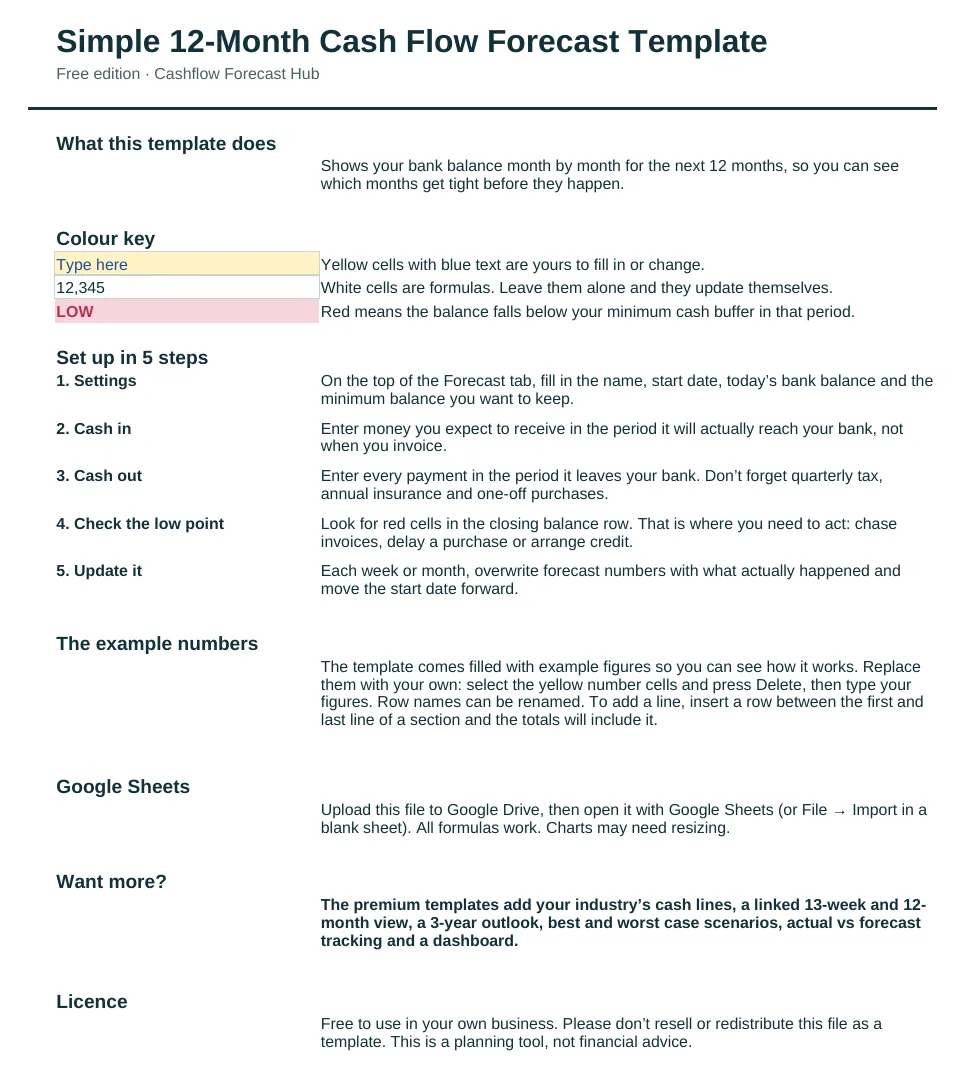
The workbook has two tabs. Start Here explains the colour key, walks through five setup steps and shows how to replace the example figures. Forecast holds everything else:
- A settings block for your business name, first month, bank balance at the start, minimum cash buffer and currency.
- Six cash in lines and twelve cash out lines, all renamable, covering customer payments, invoice collections, payroll, rent, suppliers, loan repayments, tax and owner drawings.
- Monthly totals for cash in, cash out and net cash flow, with a closing balance that carries forward as next month’s opening balance.
- A buffer check row that turns any month below your minimum balance red.
- A summary box showing your lowest balance, the month it happens, how many months fall below your buffer, your closing balance at the end of the year and your average monthly net cash flow.
- A chart of cash in, cash out and closing balance for the year.
How to use it
- Enter today’s bank balance and the minimum you want to keep in the account.
- Type expected receipts in the month they’ll actually reach your bank, not the month you invoice.
- Type every payment in the month it leaves your bank, including quarterly tax, annual insurance and one-off purchases.
- Check the summary box and the red months. That’s where you need a plan: chase invoices, move a purchase or arrange credit.
- At the end of each month, overwrite the forecast with what actually happened and look ahead again.
The example figures show a business that is profitable over the year but has four tight months in the spring, which is exactly the kind of problem a forecast is for. Delete them and type your own.
What people use it for
Owners use it to decide whether they can afford a new hire, to plan around a quarterly tax bill, to prepare for a bank meeting, and to see whether a quiet season will need an overdraft. Bookkeepers use it as a simple first forecast for new clients. Because it is one sheet, it takes minutes to update each month, which is what keeps it useful.
Excel and Google Sheets
The file is a standard .xlsx workbook with no macros. It opens in Microsoft Excel on Windows and Mac, in Excel online, and in Google Sheets: upload it to Google Drive and open it with Google Sheets. All formulas work in both.
When to upgrade
The free template covers the essentials. Premium industry templates add your industry’s cash lines, a weekly 13-week view linked to the 12-month view, a 3-year outlook, best and worst case scenarios, actual vs forecast tracking and a dashboard. If you need weekly detail right now, try the free 13-week template. New to forecasting? Read how to make a cash flow forecast.
Questions people ask
Is this cash flow forecast template really free?
Yes. Download it, use it in your business and edit it however you like. We only ask for an email address so we can send setup tips.
Does it work in Google Sheets?
Yes. Upload the file to Google Drive and open it with Google Sheets. All formulas work.
Can I add more rows?
Yes. Insert a row between the first and last line of a section and the totals include it automatically.
How is this different from a budget?
A budget sets spending targets. This forecast shows when cash actually moves, so you can see the month your balance is lowest.